Why Fitness Tracking Apps Matter (And Why Most People Fail)
The global fitness app market hit $13.9 billion in 2026, yet here's the brutal truth: fitness tracking apps have a 3% Day-30 retention rate. Most people download an app, use it for a few weeks, and abandon it completely. The difference between those who stick with it and those who quit comes down to one thing: they actually understand how to use fitness tracking apps effectively.
This guide breaks down exactly how to set up, configure, and maintain a fitness tracking app that becomes part of your routine instead of digital clutter on your phone. We're not talking about passive data collection. We're talking about using your app as an active tool to drive progressive overload, track body composition changes, and build accountability into your training.
According to research from Fitness Refined's 2026 Report on App Retention, the main reasons people quit fitness apps aren't technical failures, they're behavioral. Time-consuming manual entry, complex onboarding, generic content, and unclear value proposition. These are solvable problems. The apps that win deliver immediate value and get out of your way.
Here's what separates the 3% who stay from the 97% who leave: they treat their app like a training tool, not a gadget. That means intentional setup, consistent logging, and using the data to make decisions.
Setting Up Your Profile and Initial Configuration
Your fitness tracking app is only as good as the data it starts with. Most people rush through this step, which is why their apps become useless within weeks.
Start with accurate height, weight, age, and biological sex. These inputs determine how the app calculates calorie expenditure and biometric data. If you're off by 20 pounds on your starting weight, every calorie estimate downstream is garbage.
Next, set your activity level honestly. Don't claim you're training six days a week if you're actually at three. The app uses this to estimate your daily caloric needs. Overestimate your activity, and the app will tell you to eat more than you actually burn.
Configure your fitness goal clearly: building muscle, losing fat, or maintaining? This single choice changes how the app interprets your data. Strength training athletes need different metrics than endurance runners.
If your app integrates with wearables, connect them during setup, not later. Syncing a device after weeks of manual entry creates data gaps and confusion.
Pro TipMost people set their activity level too high. If you're uncertain, go conservative. You can always adjust upward after a week of tracking actual data.
Finally, configure notification settings. Too many alerts and you'll mute them all. Too few and you'll forget to log. A daily reminder to log your workout and a weekly progress summary is optimal.
How to Set Fitness Goals in Apps That Actually Stick
Here's where most people get it wrong: they set goals inside the app, then ignore them completely.
A meaningful fitness goal needs three components: a specific target, a realistic timeline, and a measurable metric. "Get stronger" is not a goal. "Add 15 pounds to my bench press in 12 weeks" is a goal.
Research from TechCity's 2026 Fitness App Study shows that apps are most effective when they encourage realistic goals, positive feedback, and flexibility. Apps that push impossible targets get deleted. Apps that celebrate small wins keep you engaged.
Set your primary goal, then break it into quarterly milestones. If you want to add 20 pounds of muscle in a year, that's roughly 5 pounds per quarter. Your app can track monthly body weight and circumference measurements to keep you on pace.
For strength athletes, your goal should center on progressive overload: adding weight, reps, or sets to your main lifts over time. Your app should track your working weights for compound movements: squat, bench, deadlift, overhead press.
Don't set more than two primary goals simultaneously. Your app will overwhelm you with metrics, and you'll stop checking it.
Key TakeawayThe best fitness goals in apps are specific, measurable, and tied to actions you control. "Lose 10 pounds" is vague. "Hit a caloric deficit of 300-500 calories daily" is actionable and trackable.
Logging Workouts and How to Track Progressive Overload
This is where fitness tracking apps earn their value. Logging workouts consistently is the only way to know if you're actually progressing.
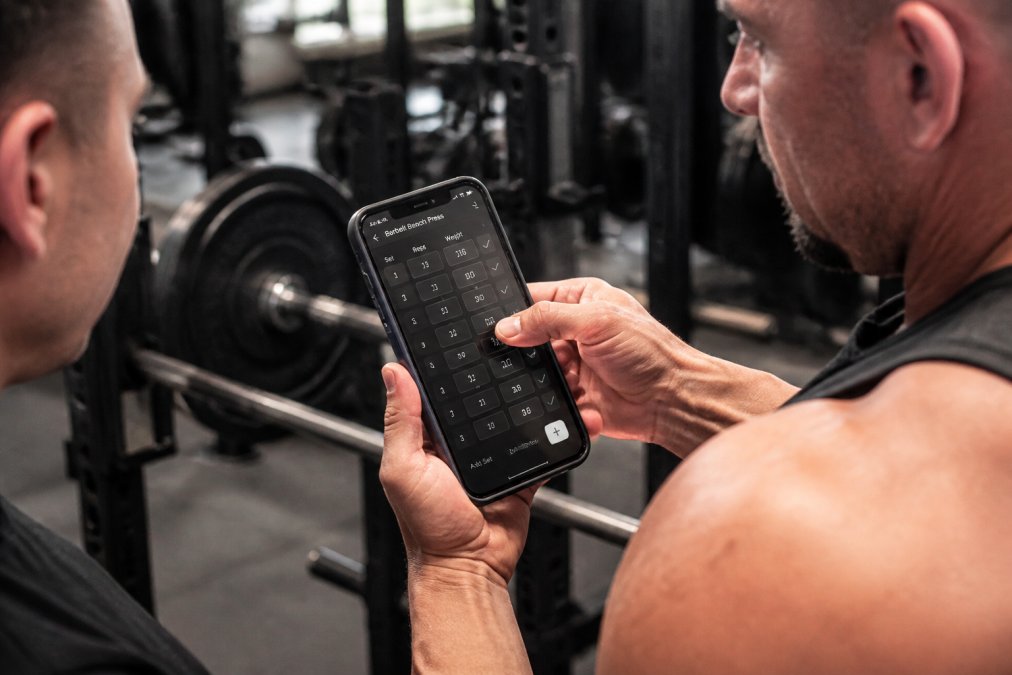
Log every working set with three data points: weight, reps, and rate of perceived exertion (RPE) or whether you hit target reps. This is how you track progressive overload.
Progressive overload means you're doing more work than you did before. That could be more weight, more reps, more sets, or better form on the same weight. Your app needs to show you a clear history so you can see whether you're actually progressing.
Apps like Strong, Hevy, and Fitbod are built specifically for strength training and make this straightforward. You finish a set, punch in the numbers, and move on.
Here's the key insight most guides miss: manual entry is a feature, not a bug. Yes, it takes 30 seconds per exercise. But that 30 seconds forces you to pay attention to what you actually did. When everything is automated, you stop thinking about your training.
Step-by-step visual guide for Close for fitness tracking apps
Log your workouts within two hours of finishing. Don't wait until the next day. Your memory of exact weight, reps, and difficulty fades fast.
Your app should show you a clear history of each exercise. When you load up squats tomorrow, you should see exactly what you did last week and the week before. That's your baseline. Beat it, or you're not progressing.
Integrating Nutrition with Workout Tracking for Body Composition
Most fitness tracking apps separate nutrition from workouts. That's a mistake. Body composition changes come from the combination of training stimulus and caloric intake.
Connect your nutrition app to your fitness app if possible. Apps like MyFitnessPal integrate with most major fitness trackers and wearables. This gives you a complete picture: calories consumed, calories burned from training, and net balance. That's the number that actually determines whether you gain or lose weight.
You can't out-train a bad diet. If you're tracking workouts perfectly but eating randomly, your app's data becomes noise. You need to know your daily caloric intake with reasonable accuracy.
Use your app's calorie targets as a guide, not gospel. If the app says you burn 2,500 calories daily and you're eating 2,000, you should see a downward trend in body weight over 3-4 weeks. If you don't, adjust.
For body composition tracking, weigh yourself daily and take circumference measurements (chest, waist, arms, legs) weekly. Your app should have a section for this. Weekly photos matter too, even though most apps don't track them.
Watch OutDon't obsess over daily weight fluctuations. Water retention, digestion, and hormonal cycles create 3-5 pound swings. Look at the weekly average instead. If your weekly average is trending down while your lifts are going up, you're [losing fat](/blogs/news/build-muscle-while-dieting) and building muscle simultaneously.
The integration of nutrition and training data is where fitness tracking apps become genuinely useful. You're creating a feedback loop that tells you whether your current approach is working.
Syncing Wearables and Reading Your Data
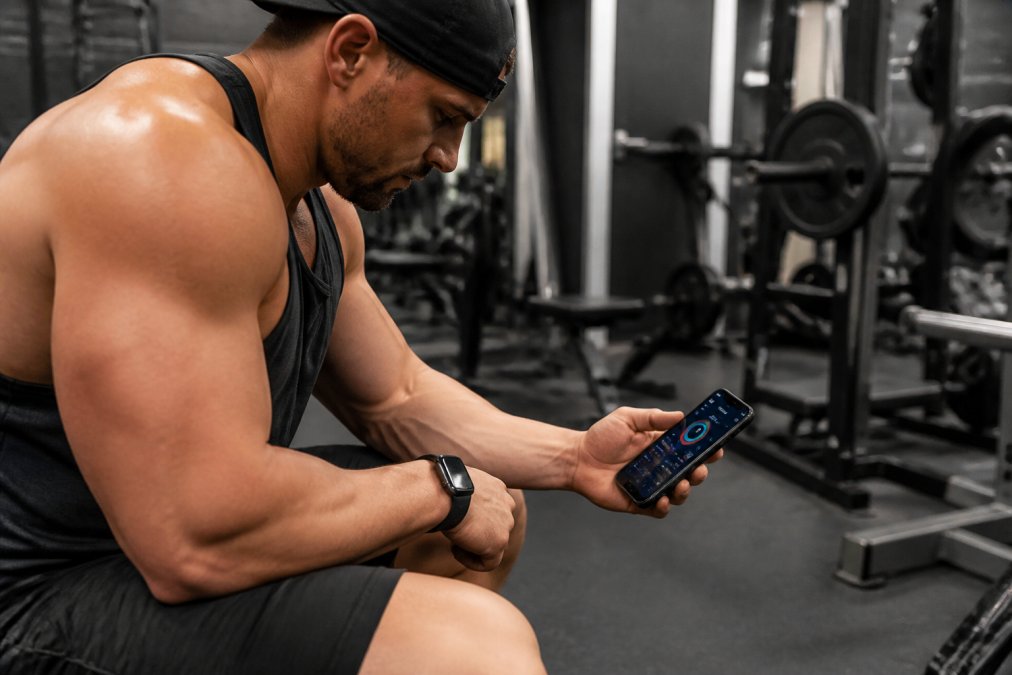
Wearable devices feed real-time biometric data into your app: heart rate, sleep, daily steps, active minutes. This data is only valuable if you know how to read it.
First, sync your wearable correctly. Most modern fitness apps support Bluetooth pairing with major devices. Garmin, Apple Watch, Oura, and Whoop all integrate with popular apps. Once paired, data should sync automatically. Check your app settings to confirm syncing is active.
Professional illustration showing Athlete for fitness tracking apps
Heart rate data matters as a trend metric. If your resting heart rate drops over time, your cardiovascular fitness is improving. If it spikes suddenly, you might be overtraining or getting sick.
During workouts, heart rate zones help you understand training intensity. Zone 2 (60-70% max HR) is steady-state cardio. Zone 4-5 (85-95% max HR) is high-intensity work. Your app should show you how much time you spent in each zone.
Sleep data from your wearable is critical for recovery. Most serious athletes sleep 7-9 hours nightly. If sleep drops below six hours consistently, your workouts will suffer. Your app should flag this trend.
Active minutes and step count are secondary metrics. Your structured workouts matter far more than whether you hit 10,000 steps.
Here's what most people miss: wearable data is only useful if you act on it. If your app shows you're in a chronic state of high stress (elevated resting HR, poor sleep, low HRV), that's a signal to reduce training volume or intensity for a week. Most people see the data and do nothing.
Common Mistakes That Kill Your App Consistency
Most people fail with fitness tracking apps not because the apps are bad, but because they make predictable mistakes in how they use them.
Mistake 1: Inconsistent logging. You log workouts for three weeks, miss a week, then try to catch up by guessing. This destroys the continuity that makes trends visible. Log every workout, even if it's short or didn't go well.
Mistake 2: Setting unrealistic targets. Your app says you can lose 10 pounds in a month. You can't. Not sustainably. Set targets that require 1-2 pounds per week of fat loss or 2-5 pounds per month of muscle gain.
Mistake 3: Ignoring the data. You log everything perfectly but never review trends or adjust based on what the numbers show. Spend 10 minutes weekly reviewing your app's summary: Are your lifts going up? Is your weight trending the right direction? Is your sleep adequate?
Mistake 4: Overcomplicating the setup. Some apps have 50 configurable metrics. You don't need 50. Pick five: body weight, main lift numbers, daily calories, sleep, and steps.
Mistake 5: Not syncing your wearable. You own a smartwatch but never pair it with your app. You're missing heart rate, sleep, and activity data that could inform your training decisions.
Mistake 6: Treating the app like social media. Some apps have leaderboards and challenges. These are distractions. Your primary goal is tracking your own progress.
Research from Fitness Refined's analysis of app churn found that apps with poor onboarding and unclear early value proposition have the highest abandonment rates. The first week is critical.
Pro TipSet a recurring calendar reminder to review your app's data every Sunday. Spend 10 minutes looking at trends and planning your next week's targets. This single habit separates people who progress from people who just log data.
Conclusion
Fitness tracking apps work when you treat them as training tools, not gadgets. Setup matters. Consistent logging matters. Acting on the data matters. Most people fail because they skip the setup, log inconsistently, and never review what their app is actually telling them.
Start with Tiger Fitness's free fitness calculators and training app to get a baseline understanding of your numbers, caloric needs, macros, and training volume. Then pick a dedicated tracking app that matches your primary goal. If you're a strength athlete, go with Strong or Hevy. If you're doing mixed training, Fitbod or MyFitnessPal work well. Sync your wearable, log consistently, and review weekly.
The 3% of users who stick with fitness tracking apps don't have better apps than everyone else. They have better habits. They log every workout. They review their data. They adjust when something isn't working. That discipline is what separates progress from stagnation.
Frequently Asked Questions
How accurate are fitness tracking apps for measuring calorie burn?
Fitness tracking apps estimate calorie expenditure based on your age, weight, heart rate, and activity type, but accuracy varies. Research shows apps can be off by 10-30% depending on the algorithm and your individual metabolism. For body recomposition, focus on consistency and trends over time rather than absolute calorie numbers. Track your actual results—weight, strength gains, and how you look—and adjust your intake based on real-world outcomes, not app estimates alone.
Can fitness tracking apps help with progressive overload?
Yes, when used correctly. Apps like Strong, Hevy, and Fitbod are specifically designed to log sets, reps, and weights, which is essential for progressive overload. Record every workout session with exact numbers. Review your data weekly to identify where you added weight, reps, or volume. The app becomes your training log—proof that you're progressing. Without this data, you're guessing. Track it, review it, and use it to plan your next session.
How do I sync my fitness app with wearable devices?
Most apps connect via Bluetooth or through your phone's native health platform (Apple Health or Google Fit). Go to your app's settings, select 'Connect Device' or 'Integrations,' and follow the pairing process. Once synced, your wearable's heart rate, steps, and activity data automatically feed into the app. Check your wearable's battery and ensure Bluetooth is enabled. If syncing fails, restart both devices and re-authenticate. Proper syncing gives you real-time metrics that improve workout decisions.
What should I do if I miss logging a workout or day?
Log it retroactively as soon as possible—the same day if you can. Most apps let you backdate entries. Write down what you remember: exercises, weights, reps, duration. Accuracy matters, but consistency matters more. Missing one day won't kill your progress, but missing the data entry creates gaps in your training history. If you can't remember exact details, estimate conservatively and move forward. The goal is building a complete picture of your training over weeks and months, not perfection on every single day.







Leave a comment