
NEW NULLA BAR FLAVORS
In-Stock Now!

Instead of repeatedly comparing scan printouts with your food diary, build an InBody protein intake sync workflow that connects a scan log, a reviewed protein target, and your daily food totals. Use the scan to inform your review not to automatically increase protein whenever a body composition estimate changes.
InBody uses bioelectrical impedance to estimate body composition. Hydration and measurement conditions affect those estimates, so a different lean-mass reading is not, by itself, evidence that your protein intake needs changing.
A body composition measurement and a nutrition prescription are different things. Moving data between apps does not remove the need to interpret it.
Tigerfitness sells protein supplements and other sports nutrition products; this guide connects those products to a measured dietary gap rather than a scan generated shopping list. The retailer is not the connection between your scanner and food diary.
For your 2026 setup, separate three jobs: recording the scan, approving a daily target, and tracking what you actually eat. This guide uses a spreadsheet because you can inspect the calculation without relying on an unverified app connection.
This workflow is for generally healthy adults planning sports nutrition. If you have kidney disease, are pregnant, are under medical nutrition care, or have been told to limit protein, use your clinician’s target instead of the example calculation below.
Your first configuration unit is a scan archive, not a dosing calculator. Preserve the original results so you can check a copied number later.
Expected result: Each scan occupies a dated row, with measurement units visible and enough context to judge whether it belongs in the same trend.
For a 2026 tracking sheet, keep the full date rather than a month name alone. A scan date must remain distinct from the day you copied it into the spreadsheet.
Use body weight for the example body-weight-based calculation below. Use skeletal muscle and body-fat estimates as review context, not as automatic multipliers.
Do not substitute skeletal muscle mass for total body weight in a body-weight-based protein formula. Skeletal muscle mass is also not interchangeable with fat-free mass; those labels describe different quantities.
For generally healthy exercising adults, 1.4–2.0 grams of protein per kilogram of body weight per day is a widely published sports-nutrition range. It is a planning reference, not an individualized prescription or a requirement to use the upper end.
Your training, calorie intake, body composition, and health circumstances affect the appropriate target. If a body-weight calculation gives you an impractical result, seek individualized advice rather than changing the formula’s denominator yourself.
=B2*1.6 in F2 to reproduce that example. Replace the example inputs with your reviewed approach before using the sheet for your own meals.Expected result: Your scan row contains one approved protein target in grams per day, with a documented reason—not a constantly changing output.
Keeping a fixed approved value matters. If you later correct a body-weight entry, a live formula would silently rewrite the target attached to that historical scan.
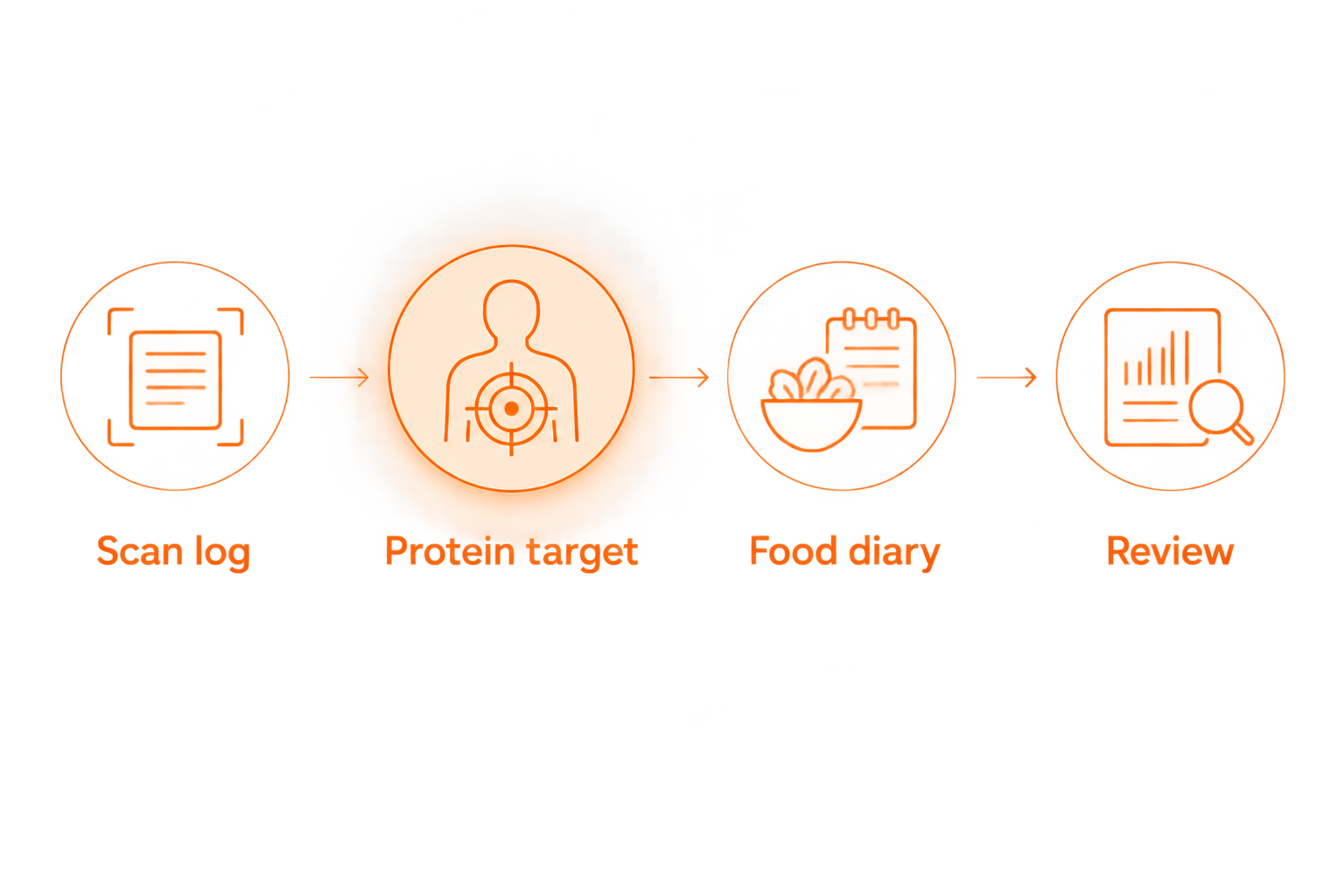
A scan describes a measurement session. Your food diary describes intake. Connect them through the approved daily target, not by copying scan estimates into food entries.
=MAX(0,B2-C2) in D2. This calculates the remaining gap without displaying a negative amount when you exceed the target.Expected result: Each completed day shows the target that actually applied, the protein you logged, and any remaining gap.
For your 2026 food diary, label partial days before comparing intake. A breakfast-only total is not evidence that your full-day plan consistently falls short.
Start with meals. Add a protein supplement when it solves a specific intake or preparation problem, and log its complete nutrition information not just protein grams.
These two Tigerfitness protein options illustrate different formats. Neither interprets an InBody scan or replaces an individualized nutrition assessment.
| Option | Best for | Useful feature | Limitation |
|---|---|---|---|
| Beverly International UMP Ultimate Muscle Protein | Readers who want a mixable milk-protein powder | Product information states 20 grams of protein | Requires preparation; milk protein does not suit a milk allergy |
| Nulla Gourmet Protein Bar with goBHB | Readers who prefer a bar to a mixed drink | Product information states 20 grams of protein | Includes other ingredients and nutrients that must fit your plan; check the complete label |
Choose the format you will log consistently. A matching protein number does not make two products nutritionally identical, and a supplement is unnecessary when your meals already meet your target.
The final configuration unit is an approval rule. Your workflow should flag something to review, not turn every new measurement into a new supplement serving.
Expected result: Every target change has a reason and a start date, while your original scan and intake history remain unchanged.
In your 2026 review notes, separate a changed goal from a changed measurement. Starting a different training phase is a different decision from reacting to a scan taken under different conditions.
Best for ongoing tracking: Use a new scan as a review trigger while leaving the current protein target unchanged until approval.
Create a Review status column in Scans and enter Needs review when you add a result. After comparing conditions and intake, replace that entry with Keep target or Change approved. These are labels you create, not InBody interface controls.
This variant keeps the workflow simple without assuming an InBody connector exists for your scanner, account, or food diary. Its advantage is an inspectable decision trail; its drawback is manual entry and approval.
If you investigate automation in 2026, check the actual fields transferred and the receiving app’s behavior first. A connection that transfers body weight does not establish that it transfers skeletal muscle estimates, and neither establishes that it recalculates protein goals.
Ask the testing facility how that session is delivered and associated with your account. Use the dated result sheet for manual entry while resolving access; do not create a guessed scan record from memory.
Check the weight unit and multiplier first. Entering pounds into a kilograms-based formula produces an inflated result, while using the wrong body-composition field produces a different calculation altogether.
Compare preparation and measurement conditions before changing protein. Follow your facility’s instructions for the next session, and review the broader trend rather than treating the single estimate as confirmed tissue loss.
Check that Target g/day and Logged protein g contain numbers rather than text with units typed into the cells. Keep units in the headings, and verify that the formula references the same row.
Compare the date, serving quantity, product entry, and whether the day is complete. Check for a shake entered both as a saved meal and as a separate supplement before adjusting your target.
Once the basic loop works, add fields only when they answer a decision. Meal timing, missed meals, appetite, and training notes can explain why a workable target is difficult to follow.
Keep body-composition interpretation separate from supplement tracking. Tigerfitness protein supplements can fill a documented gap; their role is dietary convenience, not correcting a scan score.
If you share the spreadsheet with a coach, restrict access to the people who need it. Body measurements and food records are personal information, not material for a publicly accessible link.
How do I sync InBody scans with my protein intake?
Record each dated scan, approve a daily protein target, and compare that target with your food diary’s protein total. A spreadsheet provides this workflow without requiring an app connection.
Does syncing an InBody result automatically update my protein goal?
Do not assume that transferring an InBody result updates your protein goal. Check the receiving app’s actual behavior, and approve nutrition changes separately from measurement transfers.
Should I use skeletal muscle mass to calculate daily protein?
Do not use skeletal muscle mass in a formula designed for total body weight. Skeletal muscle mass and fat-free mass are also different measurements, so use the denominator specified by your chosen nutrition guidance.
What protein target should a healthy adult who exercises start with?
A widely published sports-nutrition reference is 1.4–2.0 grams per kilogram of body weight per day for generally healthy exercising adults. Choose an individualized target based on training, goals, and health rather than automatically using the upper end.
Does the protein value on my InBody report mean protein grams per day?
An estimated body protein mass is not a dietary protein target. Read the report’s field description and units, and keep body-composition quantities separate from grams of protein eaten daily.
Should I increase protein whenever my scan estimates less muscle?
No, review testing conditions, food intake, training, and the broader trend first. A single bioelectrical impedance estimate does not establish that you lost muscle or need more protein.
Do I need protein powder to follow this workflow?
No, food can supply your protein target. Use a supplement only when its ingredients and nutrition fit a measured gap or make your plan easier to follow.
Freeze yesterday’s target before changing tomorrow’s. A spreadsheet that recalculates every historical day against your newest goal rewrites your adherence record, even though you cannot change what you ate.
Keep the original target, logged intake, and decision date together. That small recordkeeping choice makes your next scan review more useful than another automatic calculation.
Products and claims discussed here are not intended to diagnose, treat, cure, or prevent any disease.
{"one"=>"Select 2 or 3 items to compare", "other"=>"{{ count }} of 3 items selected"}





Leave a comment