
NEW NULLA BAR FLAVORS
In-Stock Now!

Instead of rebuilding your hydration plan before every ride, connect your Zwift workout duration and intensity to a reusable log, then use your measured fluid intake and sweat-loss observations to adjust electrolyte timing. This 2026 guide shows you how to build that manual workflow without treating watts, calories, or heart rate as a sodium prescription.
Zwift records training activity, but training workload and electrolyte loss are different measurements. A harder workout does not supply the missing information about how much sodium your sweat contains.
Use Zwift to describe the ride. Use your hydration log to describe what you drank and how the session felt. Combining those records gives you a repeatable preparation routine without pretending to measure something you have not measured.
Tigerfitness sells fitness supplements, including products for training nutrition. Keep supplement selection separate from the decision about how much fluid and sodium you personally need.
The useful connection is a feedback loop: plan, ride, record, review. For your 2026 training log, that loop matters more than an automatic rule that increases electrolytes whenever workout intensity rises.
If you have a prescribed fluid or sodium restriction, kidney or heart disease, or take medication that affects fluid balance, get an individualized plan from your clinician before changing intake. This workflow organizes observations; it does not replace medical advice.
Build the record before your next session. The bold labels below are custom spreadsheet column names you create, not Zwift buttons or settings.
Expected result: You have a single ride record that separates training data from measured intake. You can tell which entries came from Zwift, which came from a label, and which describe your own observations.
Use session intensity as context rather than a dosing input. A note such as easy endurance or hard intervals helps you compare similar rides without assigning an unsupported sodium requirement.
Both methods below use the same fields. Choose the method you will actually maintain throughout your 2026 training schedule.
| Method | Best for | Advantage | Limitation |
|---|---|---|---|
| Individual ride entries | Riders with changing workouts or room conditions | Captures each session's differences | Requires fresh data entry after each ride |
| Reusable workout template | Riders repeating comparable indoor sessions | Keeps preparation consistent | Becomes misleading if you copy old conditions or intake without checking |
Start with individual ride entries. Once you understand which sessions are genuinely comparable, save a reusable template without copying completed intake values into future rides.
Your baseline should describe what happened, not force a universal drinking target onto every workout. Start with familiar training rather than using an important event to test an unfamiliar routine.
Expected result: Your log distinguishes bottle preparation from actual consumption. You also know whether the plan was practical while riding.
For volume calculations, 1 liter equals 1,000 milliliters. To express intake per hour, divide milliliters consumed by ride duration in hours; 60 minutes equals 1 hour. These are recording conversions, not recommended intake targets.
Sodium intake equals sodium per serving multiplied by servings consumed. If the label gives total electrolytes rather than a separate sodium amount, do not enter that total as sodium.
Weigh yourself before and after a comparable ride using the same scale, minimal dry clothing, and a consistent method. Towel off before the final measurement, and record fluid consumed and any urine passed during the session.
A practical field estimate is:
Estimated sweat loss in liters ≈ pre-ride mass in kilograms − post-ride mass in kilograms + fluid consumed in liters − urine passed in liters.
This uses the approximation that 1 kilogram of water is about 1 liter. Divide estimated sweat loss by ride duration in hours to estimate a sweat rate in liters per hour.
The method is imperfect: wet clothing, food, bathroom timing, scale resolution, and other mass changes affect the result. An estimated sweat rate is not a sweat sodium measurement, and it is not an instruction to replace every drop during exercise.
Use planned duration to make the drink accessible and identify practical drinking opportunities. Use prior comparable rides, thirst, tolerance, and any individualized professional advice to guide the intake itself.
Expected result: Every ride has a preparation cue, practical drinking opportunities, and a completed record. You are adjusting an observable routine rather than chasing a number generated from training load.
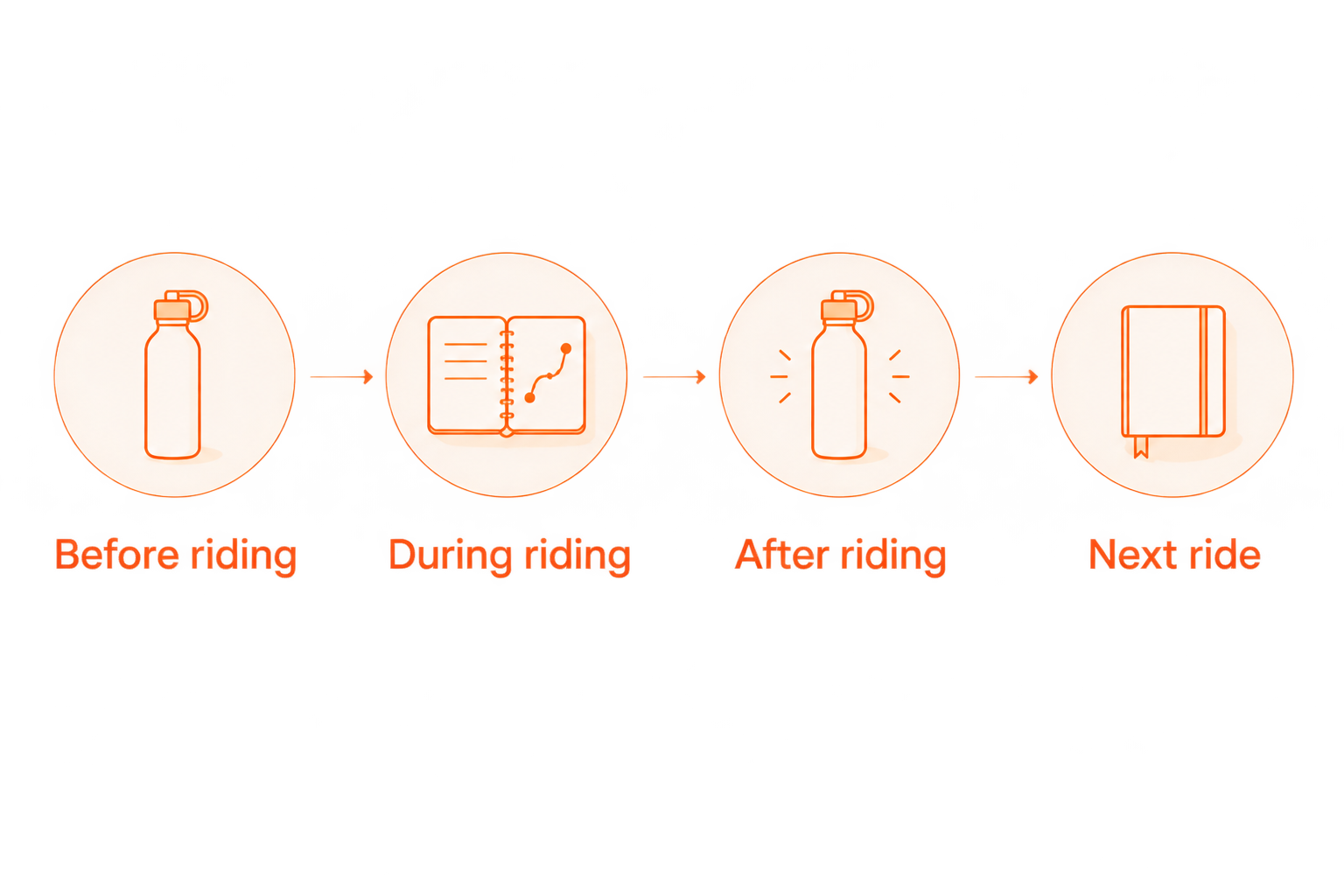
Do not wait until the end to discover that your bottle is out of reach. Position bottles and set up cooling before you start; otherwise, the log records a setup failure rather than a useful test of your hydration routine.
There is no single minute when every Zwift rider needs electrolytes. Session duration, sweat losses, food intake, conditions, and personal medical considerations all affect the decision.
For a familiar session with limited sweating, do not add a supplement merely because the workout contains hard intervals. For sessions involving substantial or prolonged sweating, review your previous intake and discuss individualized sodium needs with a sports dietitian when necessary.
When comparing drinks, check sodium separately from carbohydrate and caffeine. The Tigerfitness guide to electrolyte supplements ranked by sodium content provides a related reading path; confirm the current product label before entering anything into your log.
Keep carbohydrate planning separate, too. An electrolyte label does not establish whether a drink supplies the fuel needed for your session.
A planned workout workflow and a completed-ride workflow serve different purposes. The first prepares the current ride; the second improves preparation for a future comparable ride.
For your 2026 schedule, use this manual update rule whenever you change the workout:
Expected result: A changed workout triggers a review, not an automatic supplement increase. Your record preserves the difference between the planned ride and the ride you completed.
A post-ride entry cannot change what you drank during that ride. Use it to prepare the next session, and keep prospective reminders separate from retrospective analysis.
Check refills, spills, and duplicate entries. Record total swallowed volume once; do not add the starting bottle volume again after already logging individual drinks.
Check whether the label lists sodium per serving or per container. Then verify servings actually consumed and confirm that milligrams have not been entered as grams.
Review drink concentration, serving directions, and whether you drank a large amount at once. Test changes during familiar training rather than forcing the same intake; persistent symptoms need medical assessment.
Compare cooling, room conditions, clothing, prior activity, and measurement technique. Identical workout files do not establish identical sweat losses, so keep the observations instead of forcing matching totals.
Stop treating the log as a quota. Overdrinking can cause exercise associated hyponatremia, and adding electrolytes does not make unlimited fluid intake safe; confusion, severe headache, or repeated vomiting during or after exercise requires urgent medical assessment.
Once the basic record works, add only fields that answer a training question. Bottle access, Drink concentration, and Workout interruptions help distinguish a practical setup problem from a tolerance issue.
Keep your 2026 records comparable by noting meaningful changes rather than collecting every available metric. More columns do not compensate for uncertain bottle volumes or copied label information.
Tigerfitness supplement shopping fits after this review, not before it. Choose against a defined need and a readable label; no retailer can determine your individual sweat sodium concentration from a workout summary.
How do I connect Zwift training data to electrolyte timing?
Record your planned and completed Zwift duration alongside fluid consumed, label-based sodium intake, room conditions, and tolerance. Use that record to organize drinking opportunities and review the next comparable session, not to calculate sodium loss from workload.
Can Zwift watts tell me how much sodium I need?
No. Power describes cycling output, not sweat sodium concentration, so watts alone cannot produce an individualized sodium replacement target.
Should I take electrolytes before every Zwift workout?
No universal rule requires electrolytes before every Zwift workout. Consider session duration, expected sweating, food intake, and any individualized medical or sports-nutrition advice.
Does weighing myself before and after a ride measure sodium loss?
No. Consistent pre-ride and post-ride weighing can support a field estimate of sweat volume when you account for fluid intake and urine, but it does not measure sodium concentration.
Should I drink whenever my reminder goes off?
Use the reminder to assess thirst and your established plan, not as a command to drink a fixed amount. Do not force fluid simply to satisfy a spreadsheet target.
What should I change when my Zwift ride gets longer?
Review bottle access, drinking opportunities, cooling, and previous comparable sessions. Do not automatically increase sodium in direct proportion to duration or intensity.
Can an electrolyte drink replace my cycling fuel?
An electrolyte drink is not automatically a carbohydrate fuel source. Check carbohydrate and sodium separately on the current label and plan each against the needs of your session.
A bottle prepared is not a bottle consumed. The most useful improvement to your zwift electrolyte timing log is often recording what remains afterward, rather than adding another training metric.
Products and claims discussed here are not intended to diagnose, treat, cure, or prevent any disease.
{"one"=>"Select 2 or 3 items to compare", "other"=>"{{ count }} of 3 items selected"}
Leave a comment